


How to Use Your Cadillac’s Hands-Free Lift Gate
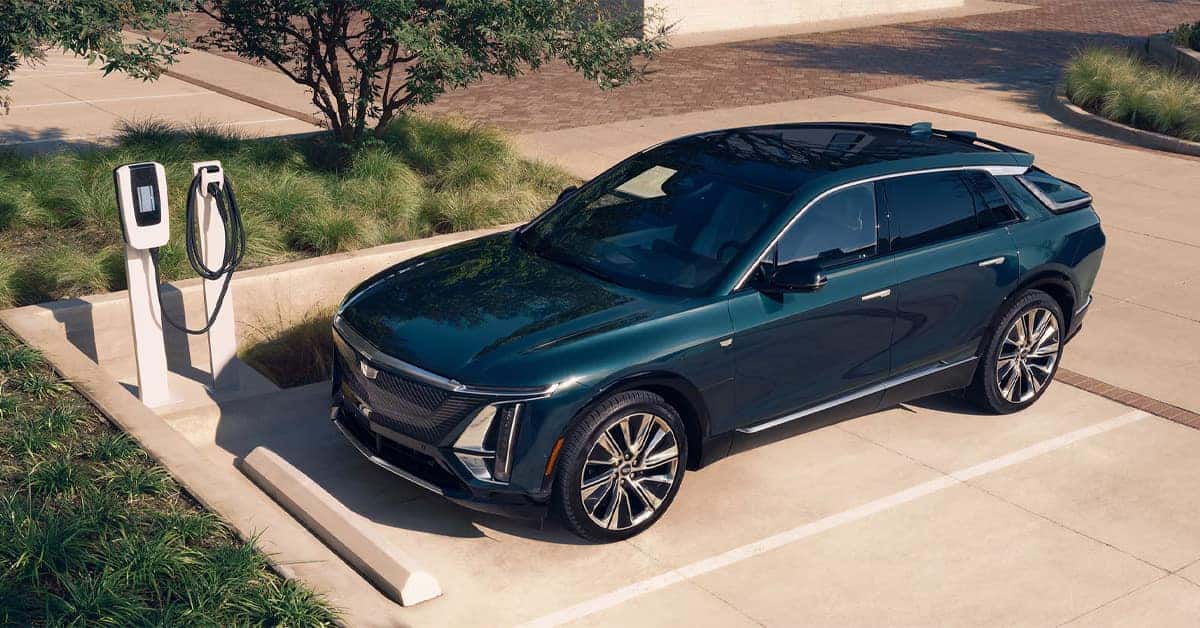
Cadillac’s hands-free liftgate makes loading and unloading cargo easier than ever. With your key fob nearby, a simple kicking motion beneath the rear bumper can open or close the liftgate without touching a button, making it especially useful when your hands are full. Understanding the proper technique, liftgate settings, and common troubleshooting steps helps you get the most from this convenient feature found on many Cadillac SUV models, including the Escalade, LYRIQ, and OPTIQ.
At Tustin Cadillac, our team is committed to helping drivers get the most out of every feature their vehicle has to offer. Whether you’re shopping for a new Cadillac, scheduling maintenance, ordering parts, or learning more about advanced technologies, we’re here to help. Contact Tustin Cadillac today or stop by to explore our inventory and receive expert assistance from a team dedicated to serving your automotive needs.
What Are the Exact Steps for Opening and Closing the Liftgate?
Many drivers discover that the hands-free liftgate becomes one of their favorite convenience features after just a few uses. Whether you’re loading groceries after a shopping trip or packing luggage for a family getaway, knowing the proper sequence helps the system work smoothly every time.
This Cadillac power liftgate tutorial covers the exact steps for opening and closing the liftgate using the hands-free system.
How to Open the Liftgate
Before attempting to activate the liftgate, make sure the electronic key fob is on your person and within approximately 3 feet of the rear bumper.
Follow these steps:
- Approach the rear of the vehicle.
- Locate the projected Cadillac crest on the ground, if your model is equipped with one. If not, position yourself near the center of the rear bumper.
- Perform a single forward-and-back kicking motion underneath the bumper.
- Step backward immediately after the motion.
- Wait for the confirmation signals, typically flashing lights and audible chimes.
- Allow the liftgate to open completely before loading cargo.
A common mistake is sweeping your foot side to side. The sensors are designed to recognize a direct kicking motion rather than a waving movement.
How to Close the Liftgate
Closing the liftgate is just as simple. Depending on your Cadillac SUV model and equipment, you can:
- Use the hands-free kicking motion again
- Press the liftgate button located on the tailgate
- Use the key fob controls
- Use the interior liftgate switch
Once activated, the liftgate will automatically close and latch securely.
Common Mistakes to Avoid
Many owners experience issues simply because of incorrect foot movement.
For the best results:
- Use a straight kicking motion rather than sweeping your foot side to side.
- Keep the key fob with you.
- Allow enough space behind the vehicle for the liftgate to operate.
- Wait for the confirmation signal before attempting a second motion.
Tips for Reliable Operation
For the best results, keep these recommendations in mind:
- Ensure the rear bumper area is free from heavy dirt, mud, or debris.
- Replace a weak key fob battery if the system becomes inconsistent.
- Make sure there is enough clearance behind the vehicle.
- Wait for the liftgate to finish its movement before attempting another command.
Why Drivers Appreciate the System
This Cadillac liftgate how-to process is designed around everyday convenience. Instead of balancing shopping bags or setting items on the ground, drivers can access the cargo area with a simple motion.
Popular benefits include:
- Easier loading when your hands are full
- Faster access to cargo space
- Greater convenience in crowded parking lots
- A more premium ownership experience
If you’d like to see these features in action, visit Tustin Cadillac and explore the latest Cadillac SUV models. Our team can demonstrate the hands-free liftgate system and help you discover other advanced technologies available throughout the Cadillac lineup.
Which Liftgate Settings Should You Know About?
Many drivers focus on using the hands-free liftgate but overlook the customizable settings that help tailor the system to their daily needs. Whether you drive an Escalade or another Cadillac model equipped with a power liftgate, understanding these controls can improve convenience and help prevent accidental contact with low garage ceilings or overhead obstacles.
Learning the available Cadillac liftgate settings allows you to get the most from one of the most practical Cadillac SUV hands-free features.
Understanding Liftgate Height Settings
Most Cadillac models equipped with a power liftgate allow drivers to choose how far the liftgate opens.
Common settings include:
- MAX: Opens the liftgate to its full height.
- 3/4: Opens the liftgate to a reduced height.
- OFF: Disables power liftgate operation, requiring manual opening and closing.
The setting is typically controlled through a knob or switch located near the driver’s seat. This simple adjustment can make a big difference if you frequently park in garages with lower ceilings.
When Should You Use a Reduced Opening Height?
A full-height opening is ideal in most situations, but there are times when a lower setting is more practical.
Consider using the 3/4 setting when:
- Parking in a home garage with limited overhead clearance
- Loading cargo beneath low structures
- Using parking garages with height restrictions
- Preventing the liftgate from contacting overhead storage racks
For many Escalade owners, this feature provides additional confidence when maneuvering in tighter spaces.
How to Set a Custom Liftgate Height
Many Cadillac models also allow you to save a preferred opening height.
The process generally involves:
- Opening the liftgate.
- Manually adjusting it to the desired height.
- Pressing and holding the liftgate button until a confirmation signal sounds.
- Allowing the vehicle to save the new position.
Afterward, the liftgate will automatically stop at the programmed height during future operation.
Other Helpful Features to Know
In addition to opening height controls, many models offer:
- Hands-free opening and closing functionality
- Key fob liftgate controls
- Interior liftgate switches
- Obstacle detection for added safety
- Audible and visual confirmation signals
Together, these technologies help make loading cargo easier and more convenient throughout everyday ownership.
Get Help Understanding Your Vehicle’s Features
Modern Cadillac models are packed with intelligent convenience technology, and the liftgate system is just one example. If you have questions about configuring settings or using advanced features, visit Tustin Cadillac. Our team can demonstrate liftgate operation, walk you through available settings, and help you explore the latest Cadillac models equipped with innovative convenience features.
Why Might the Hands-Free Liftgate Stop Working?
The hands-free liftgate is designed to make everyday tasks easier, but there may be times when it does not respond as expected. Before assuming something is broken, it is worth checking a few common causes. In many cases, the solution is simple and can be resolved in just a few minutes.
Whether you drive a LYRIQ or another Cadillac model equipped with this technology, understanding basic troubleshooting steps can help restore normal operation quickly.
Check the Liftgate Settings First
One of the most common issues involves the vehicle’s liftgate controls.
As part of any Cadillac power liftgate tutorial, drivers should verify that the power liftgate has not been disabled. Many models include a control knob or switch that allows you to choose between different operating modes.
Review your Cadillac liftgate settings and make sure:
- The liftgate is not set to OFF.
- The desired opening height is selected.
- Power liftgate operation is enabled.
If the setting has been accidentally changed, the hands-free feature may not function.
Is the Key Fob Close Enough?
The system requires the electronic key fob to be nearby before it will activate.
Potential issues include:
- The key fob is more than 3 feet away.
- The battery inside the key fob is weak.
- The fob is blocked by other electronic devices or objects.
If the projected logo light no longer appears at night, a low key fob battery may be contributing to the problem.
Could Dirt Be Blocking the Sensors?
Road debris can interfere with the sensors located beneath the rear bumper.
Consider inspecting the area for:
- Mud buildup
- Road salt
- Dirt and dust
- Snow or ice accumulation
A quick cleaning can often restore proper sensor performance, especially after bad weather or long road trips.
Is the Foot Motion Being Performed Correctly?
Many liftgate issues are actually activation issues.
For the best results:
- Stand directly behind the vehicle.
- Perform a single forward-and-back kicking motion.
- Avoid sweeping your foot side to side.
- Step back immediately after the motion.
The sensors are programmed to recognize a specific movement pattern. Repeating the motion too quickly or using a sweeping motion may prevent activation.
When Should You Schedule Service?
If you’ve checked the settings, cleaned the sensors, replaced the key fob battery, and verified proper operation techniques, professional diagnosis may be necessary.
Signs that service may be required include:
- No response from the liftgate at all
- Intermittent operation
- Warning messages appearing on the instrument panel
- The liftgate stopping during operation
At Tustin Cadillac, our service team can inspect the system and identify any sensor, electrical, or software-related concerns. If your liftgate is not operating as intended, visit us for expert assistance and keep your Cadillac convenience features performing at their best.
How do I activate the hands-free liftgate on my Cadillac?
To activate your Cadillac’s hands-free liftgate, keep the key fob within 3 feet (1 meter) of the rear bumper, perform a straight forward-and-back kicking motion under the designated sensor area, then step back and wait for the liftgate to open or close.
Does every Cadillac model have a hands-free liftgate?
Not every Cadillac model includes a hands-free liftgate. Availability depends on the model, trim level, and equipment package.
Can I adjust the height setting on my Cadillac’s power liftgate?
Yes, many Cadillac models allow you to adjust the liftgate opening height using the liftgate control knob, which typically offers settings such as MAX, 3/4, or OFF.
Why isn’t my Cadillac hands-free liftgate working?
A Cadillac hands-free liftgate may stop working if the liftgate setting is turned off, the sensor area is blocked by dirt or debris, the key fob battery is weak, the key fob is too far away, or the kicking motion is not performed correctly.
Is the hands-free liftgate standard or optional on Cadillac SUVs?
The hands-free liftgate may be standard or optional depending on the Cadillac SUV model and trim level. Specific feature availability varies across the lineup and should be confirmed for the vehicle you are considering.
Explore More Cadillac Features and Models at Tustin Cadillac
Whether you’re loading groceries in Irvine, packing for a weekend getaway from Newport Beach, or managing a busy schedule around Anaheim, convenient features like a hands-free liftgate can make everyday driving easier. Our team at Tustin Cadillac is here to help you get the most from your vehicle while introducing you to the latest innovations available across today’s Cadillac lineup.
If you’re researching your next vehicle, be sure to explore topics like Cadillac SUV size and seating comparisons, electric SUV technology and capability, or what’s changing in the next generation of Cadillac sedans. Drivers throughout Anaheim, Irvine, and Newport Beach are invited to visit Tustin Cadillac and explore our selection of Cadillac Cars and Cadillac SUVs, including the Escalade, Lyriq, and Optiq.
Whether you’re shopping for a new vehicle, exploring financing options, or looking for expert guidance on Cadillac technology features, our team is ready to assist. Contact Tustin Cadillac today or stop by to experience the Cadillac lineup in person.
Get Directions to Tustin Cadillac
Disclaimer: All information is provided for general informational and entertainment purposes only. While we strive for accuracy, we cannot guarantee that all content is complete, current, or error-free. Any reliance you place on such information is strictly at your own risk. This article may include opinions and is not endorsed by, or officially affiliated with, any vehicle manufacturer or brand. Always consult official sources – such as the vehicle’s owner’s manual, authorized dealerships, or certified professionals – for the most up-to-date and personalized information.
0 comment(s) so far on How to Use Your Cadillac’s Hands-Free Lift Gate